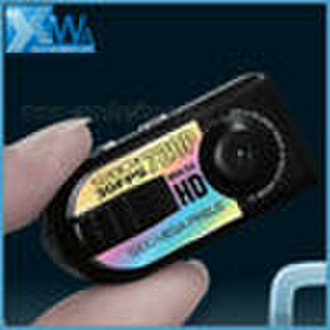
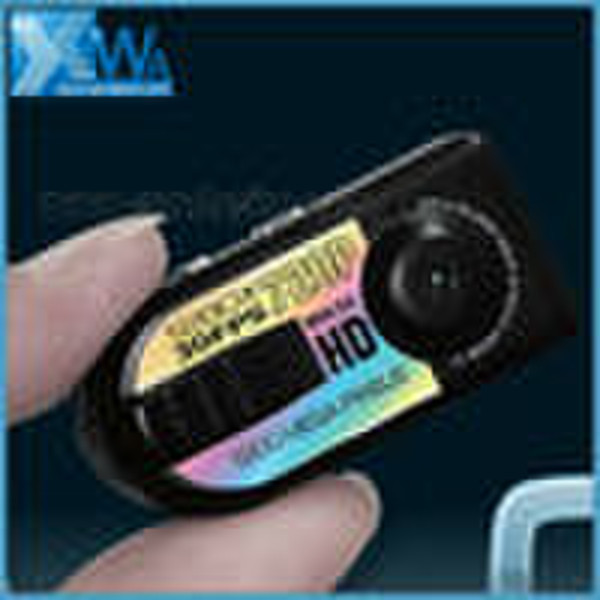
new mini camera
original price: 6,00 USD


Ziyi Xiong
Contact person
Basic Information
| Place of Origin | Guangdong China (Mainland) |
|---|---|
| Brand Name | OEM |
| Model Number | SC026 |
I Characters ofmini camera This digital mini camerahas small contour design, which does UVl spray finishing for the whole body. It is very fashionable and wearable and matches with all kinds of portable tools. Support PC camera and chattingl function. Support AVI video format.l It can carry out high definitionl image recording under low illumination. Support 30 fps for 720*480 Support USB1.1 and USB2.0 Support 16GB T-flashl card.(maximum) Built-in lithium battery sustainable camera up to 2 hours. II Operation Guide1.Charge The battery is built-in lithium rechargeable battery, so when you use it the first time, please charge firstly. The method for charging as following: 1.)Connect computer,then it can be charged. 2.)Use adaptor: connect charger plug with USB cable, then plug into electrical connector receptacle, it can be charged. Note: When the battery power is low,MINI DV directly into the protected status, can not boot. In this case,charging of the machine. 3.)Three times before charging to charge more than 12 hours , make the battery to achieve maximum efficiency . Start charging,The red indicator light flashes slowly;When charging 3 4 hours continuously fully charged.red indicator light are oftenbright.2.Power and Motion Detection Push ON/OFF toggle button to ON,the top position,tap the Power button, the red indicator light, the machine is switched on ready status,and immediately converted to motion detection standby.(At this point the red light flash), when recording moving objects in the scene where MINI DV start recording, then the red light off (instructions in the motion detection camera). Tap the "Power" key to save the red indicator lights. This time into the camera and take pictures of the wait state. In the beginning of each motion detection cameras, each camera the shortest time was 2 minutes, after 2 minutes if the camera, recording the scene without the object moving, MINI DV video files will be automatically saved, and to detect standby mobile ; If after 2 minutes of filming, the scene is still the object move, MINI DV will continue recording.3.Photo In the motion detection video, press "power"button to save, red indicator light begins to bright, now it enters into standby mode. Press “power” button take one photo .now red light flash one time and save one photo. The file resolution: 1280*1024 . 4.Camera In the motion detection video, press "power"button to save. Red indicator light begins to bright, now it enters into standby mode. Holding “power” button until to red light is turn off start take video, the red light flashing , file resolution:720*480.Fps: 29 30fps/S. Then Press"power"button stop video and auto save the file.Note: a. Please be sure to confirm MINI DV has been inserted T-flash (Micro SD) card, without the card, MINI DV will be shut down automatically after 15 seconds, as in the TF card is not inserted before boot, crash prone to the phenomenon. b. T-flash (Micro SD) maximum use of capacity of 16G c. Save the file takes time, do not save a row operation key and so on, this will cause the recorded file can not be successfully saved, and make the resulting file is not complete. d. Please adequate lighting environment, the lens at the photo of the image, and being proactive to keep things more than 50cm distance, this will be correct, natural colors, features a clear, steady picture image.4. Time setting The product CD-ROM attachment file in two hours, A.One of these documents for the time synchronization file, users copy this file to TF card, the machine and connected computer, the machine time sync directly into a computer display of the time. Specific use is as follows: 1.in the card root directory create a file named TAG.TXT text document (the document is encoded as: ANSI) 2.open TAG.TXT documents, in strict accordance with the format of the annex, you can write to synchronize the time 2.The machine fitted with TF card, boot the computer after connecting a removable disk appears, press the "Power" into the web camera mode. 3. Open the file name, there file,double-click, there are 4 Click the "Sync" can appear to complete. Note: Do not turn off after editing the power ON / OFF, this will cause time to change back to the default time, press the "Power" button Off 5. Shutdown In the video state or standby mode, press Power button for 6 seconds, the indicator light off then release the button, light goes out, that the machine has shut down6.Auto-power off function MINI DV will save file and turn off automatically as following: a.When you shoot video without enough power, file will be saved automatically, then auto-power off. b.When disk space of MINI DV is not enoughn, after indicator goes out immediately, file will be saved automatically then auto-power off. c.Under standby mode, without any operation in 45 seconds, it will be auto-power off.d. In the MINI DV when there is no card or no card is detected when the system will automatically shut down7.Connecting computer It can connects computer under power off mode, standby mode or video mode, after that which can be used as U disk, who can copy, cut and paste, delete file. When you connect it with USB port, a portable disk mark will be seen after several seconds. Red indicator light always bright. 8. PC camera function: When you first use PC camera, please install driver. The driver name is SPCA1528_V2220_M…Setup.exe, which is placed in attached CD. When you install please double press this document, and as per guide to do. After that there will be an AMCAP icon on the computer desk.Under power off or power on mode, use USB cable to connect computer, the mode is U disk mode. Then short press "Power "Key, mobile hard drive disappeared, this time the camera mode switch to the computer, click AMCAP icon , you can use when the computer camera.
Delivery terms and packaging
Packaging Detail: Car key mini camera SC024 packing details:Gift box packingbox dimension:22*14*11cmcarton dimension: 55*48*45cmquantity:100pcs/cartonweight:14kg Delivery Detail: Depends on order quantity, shipping via DHL,TNT,FEDEX etc
Port: GUANGZHOU
Payment term
Telegraphic transfer
MoneyGram
Paypal
Western Union

-
Payment Methods
We accept:




